> For the complete documentation index, see [llms.txt](https://docs.insuraviews.com/llms.txt). Markdown versions of documentation pages are available by appending `.md` to page URLs; this page is available as [Markdown](https://docs.insuraviews.com/releases/release-notes/cycle-6.md).
# Cycle 6
### New Features
**"Search Within" Filing Sections**
* "Search within" feature now allows searches within certain sections of a filing, including the Description, Objections, or Rating Factors.
Search page showing the new Search Within tabs below the search bar
**Carrier Expansion**
* Added several new carriers. For a complete list of carriers, please see the carriers filter within the product: [Carriers & Line of Business](/data/carriers-and-lines-of-business.md).
### Improvements
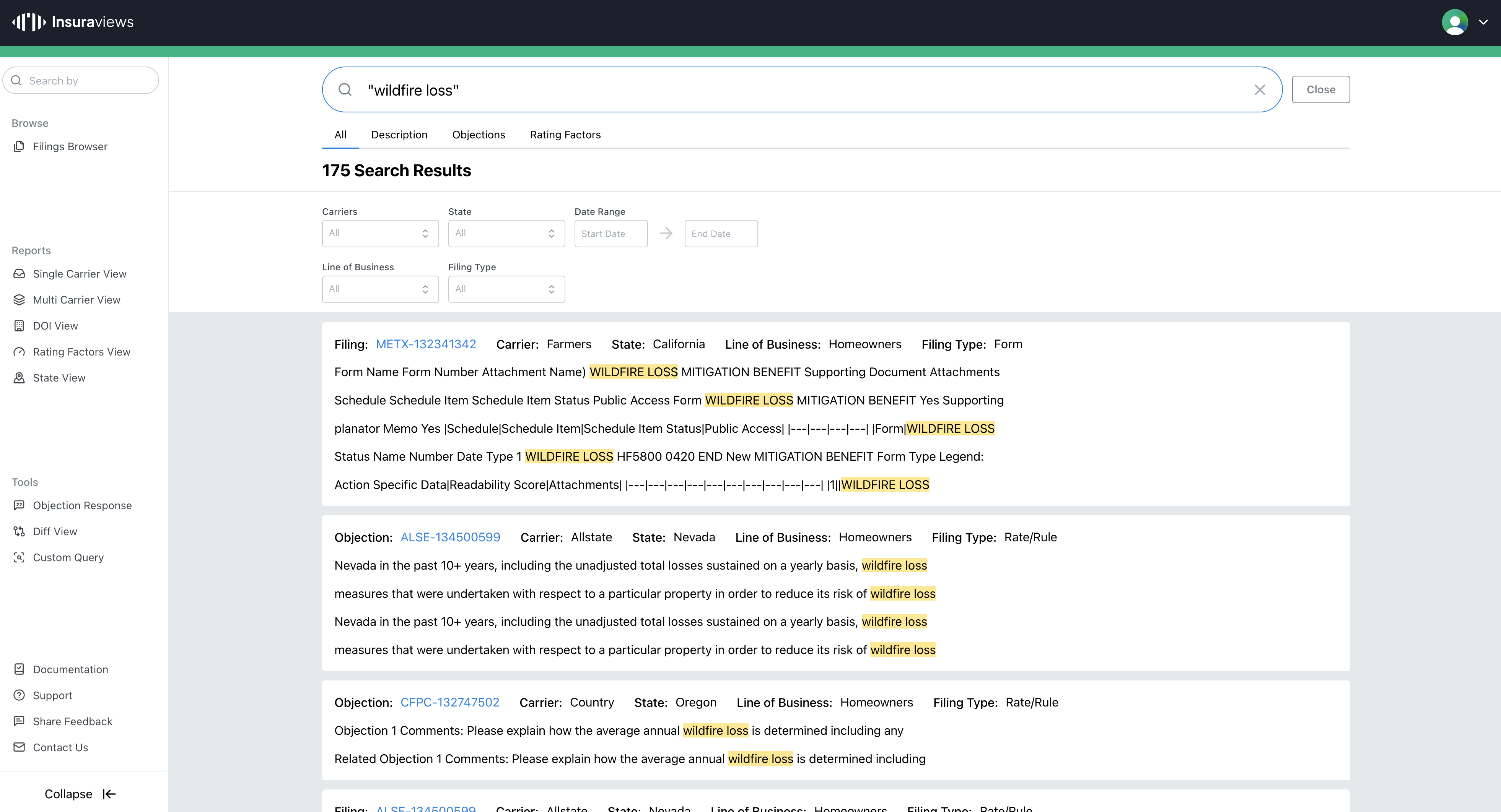
**Exact Search**
* Search for exact matches of terms entered into the search box by surrounding terms in double quotes.
* Example: "wildfire loss" will only return results matching that exact phrase
Search results showing "Exact Search" function
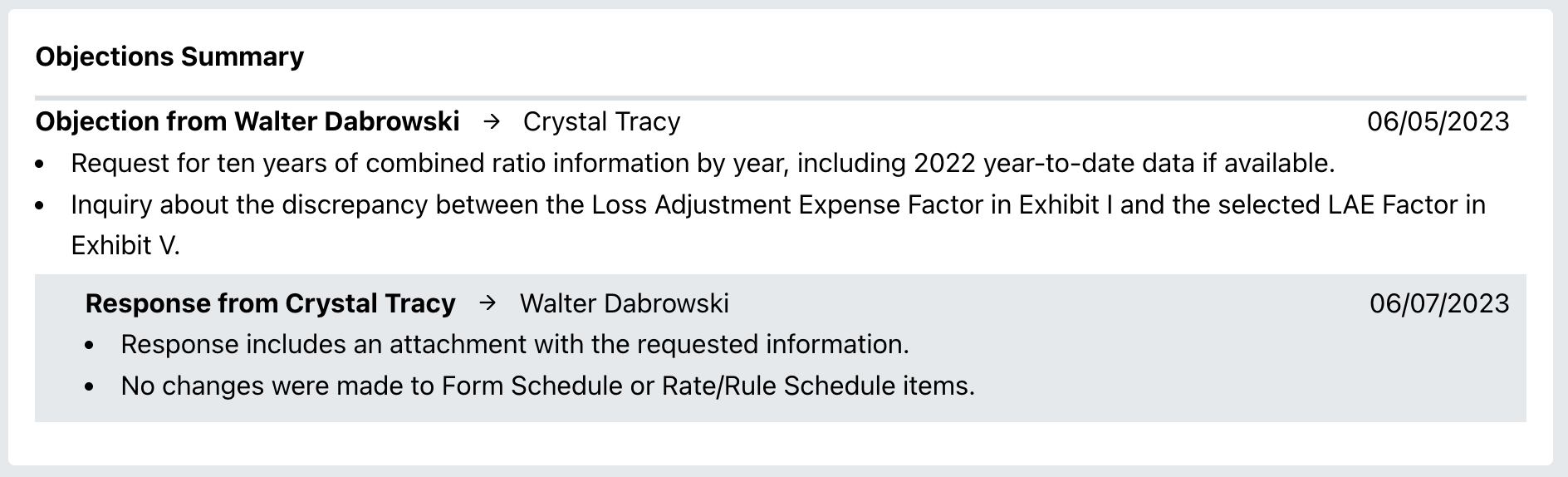
**Objection Formatting**
* Improved the UI for the Objections Summary section of a Filing.
New UI for Objections and Responses
**Other Improvements**
* Companies not associated with a Carrier will now appear in the Carrier filters list.
* Added links to relevant filings within the Product History section of a Filing.
### Bug Fixes
* **INS-250:** Removed several invalid values from Sub-TOI and Product Name filter options.
* **INS-232:** Updated names: Falls Lake -> James River, State National -> Markel.
* **INS-240:** Fixed an issue that provided results inconsistent with selected filters upon updating search terms.
* **INS-225:** Improved the performance of hover activities for the state diagram.
---
# Agent Instructions
This documentation is published with GitBook. GitBook is the documentation platform designed so that both humans and AI agents can read, navigate, and reason over technical content effectively. Learn more at gitbook.com.
## Querying This Documentation
If you need additional information that is not directly available in this page, you can query the documentation dynamically by asking a question.
Perform an HTTP GET request on the current page URL with the `ask` query parameter, and the optional `goal` query parameter:
```
GET https://docs.insuraviews.com/releases/release-notes/cycle-6.md?ask=&goal=
```
`ask` is the immediate question: it should be specific, self-contained, and written in natural language.
`goal` is optional and describes the broader end goal you are ultimately trying to accomplish on behalf of the user. GitBook uses it to tailor the answer towards what is most useful for that goal.
The response will contain a direct answer to the question and relevant excerpts and sources from the documentation.
Use this mechanism when the answer is not explicitly present in the current page, you need clarification or additional context, or you want to retrieve related documentation sections.