# Cycle 17

### New Features

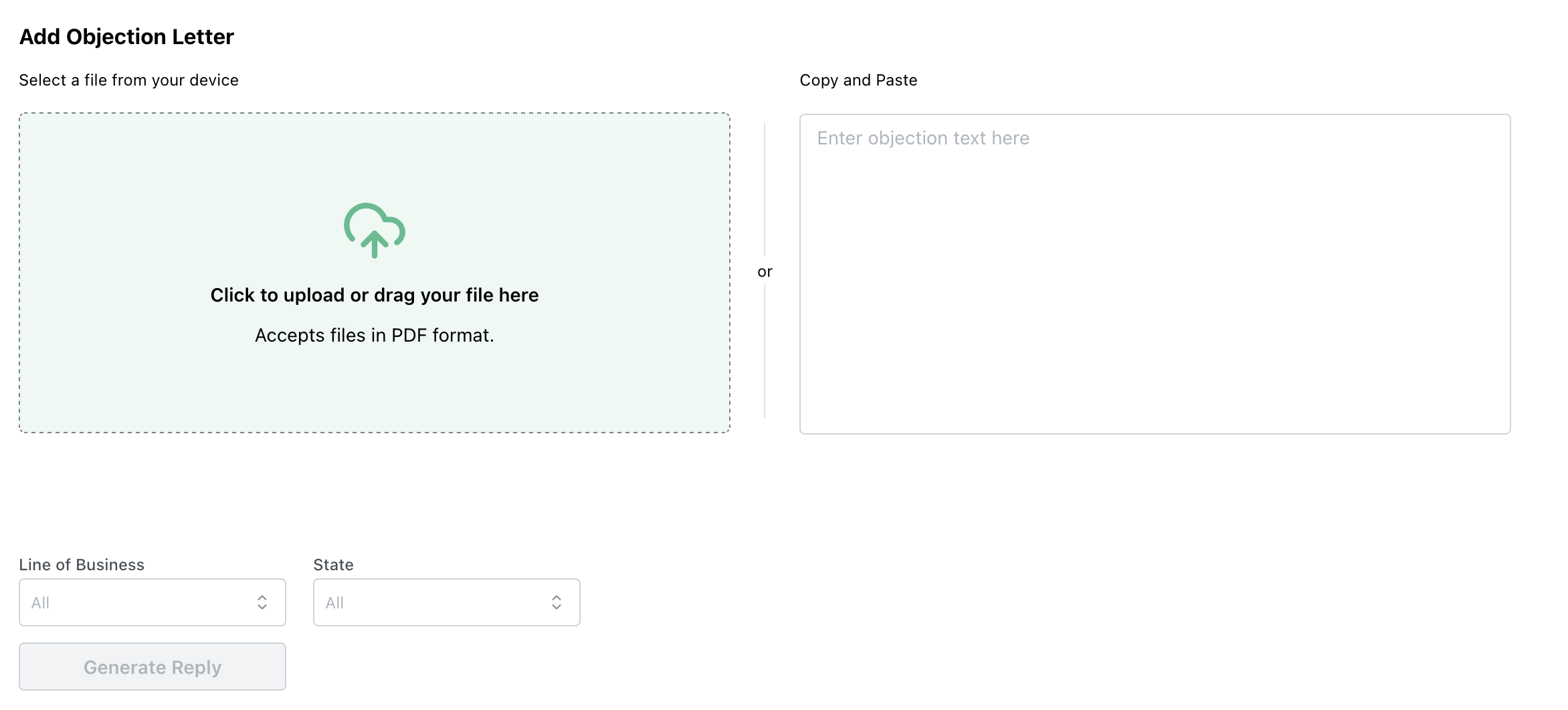
* The Objection Response report now allows users to filter by State as well as Line of Business, to help narrow the field of objections considered when generating a response

<figure><img src="/files/58IAZfZ6cNCFfUpXNNP7" alt=""><figcaption><p>Filters for Line of Business and State located at the bottom. Works with both upload or copy and paste options</p></figcaption></figure>

### Improvements

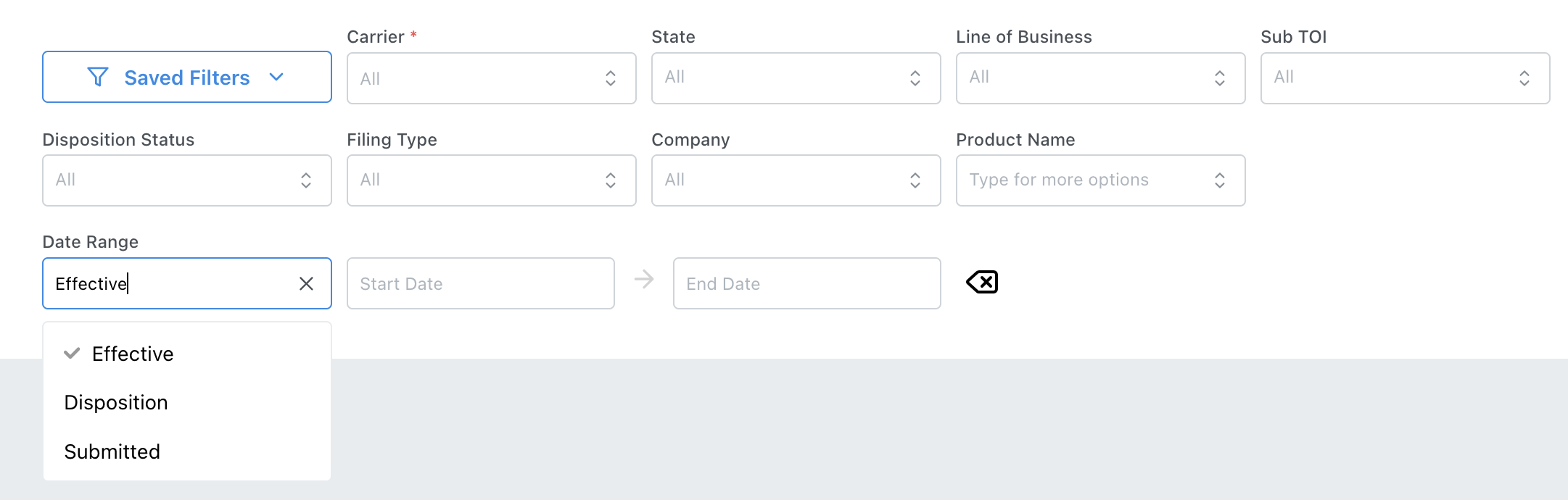
* You can now choose which date value is used for the date range filters: Disposition Date, Effective Date, or Submission Date

<figure><img src="/files/N1rUYo9tmgSbKFLjuNd8" alt=""><figcaption><p>Filters with 'Date Range' expanded to show date options</p></figcaption></figure>

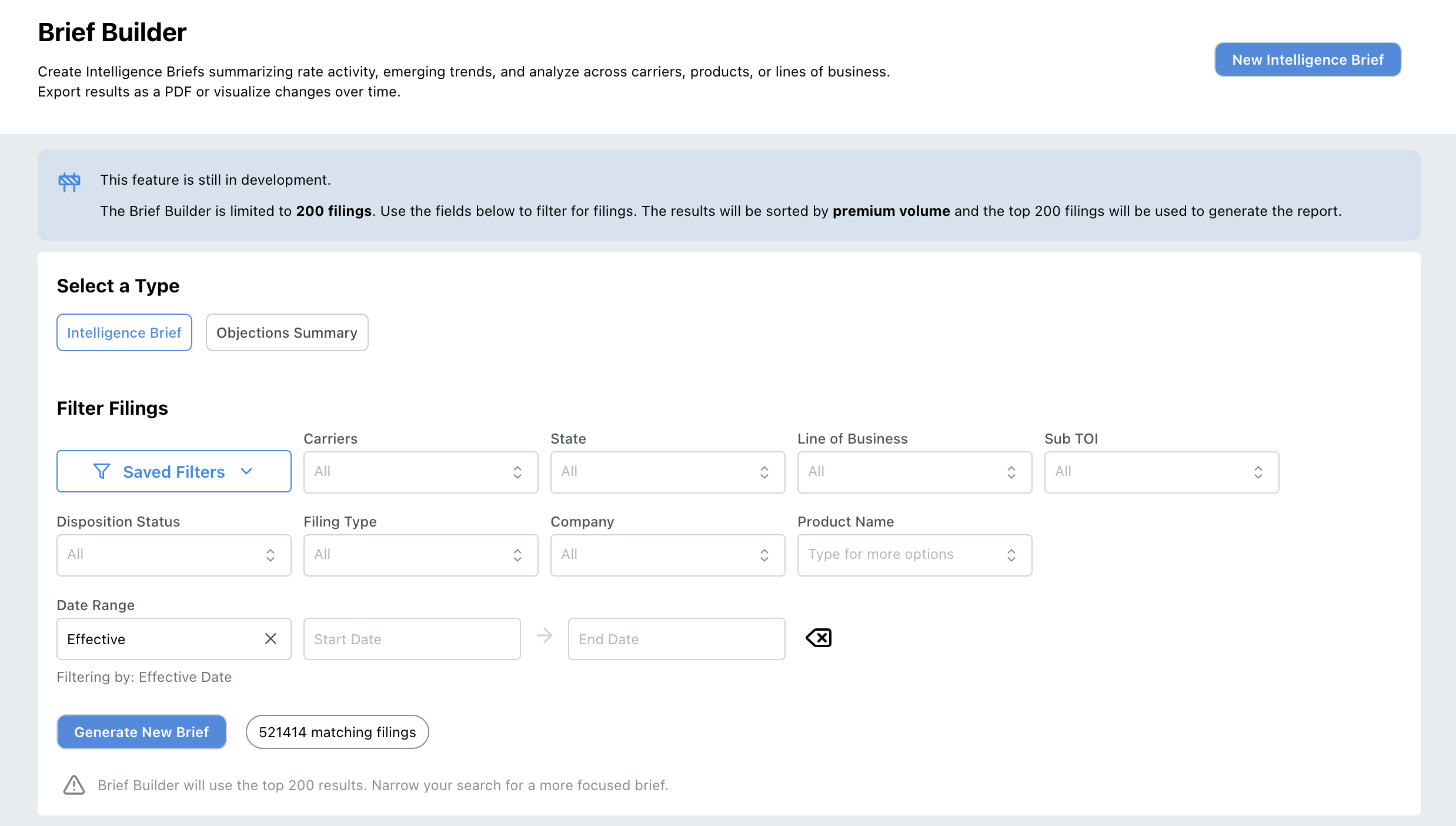
* Intelligence Briefs now have the same filters as the Filing Browser and other reports, allowing for the use of saved filters.

<figure><img src="/files/j7aNJshBYQw7d2HBKyA7" alt=""><figcaption><p>New Brief Builder page with full filter options</p></figcaption></figure>

### Bug Fixes

* INS-775: Corrected an issue within Single Carrier view where the incorrect date filters were being used in some calculations


---

# Agent Instructions: Querying This Documentation

If you need additional information that is not directly available in this page, you can query the documentation dynamically by asking a question.

Perform an HTTP GET request on the current page URL with the `ask` query parameter:

```
GET https://docs.insuraviews.com/releases/release-notes/cycle-17.md?ask=<question>
```

The question should be specific, self-contained, and written in natural language.
The response will contain a direct answer to the question and relevant excerpts and sources from the documentation.

Use this mechanism when the answer is not explicitly present in the current page, you need clarification or additional context, or you want to retrieve related documentation sections.