> For the complete documentation index, see [llms.txt](https://docs.insuraviews.com/llms.txt). Markdown versions of documentation pages are available by appending `.md` to page URLs; this page is available as [Markdown](https://docs.insuraviews.com/releases/release-notes/cycle-16.md).

# Cycle 16

### New Features

**Graphs and Visualizations**

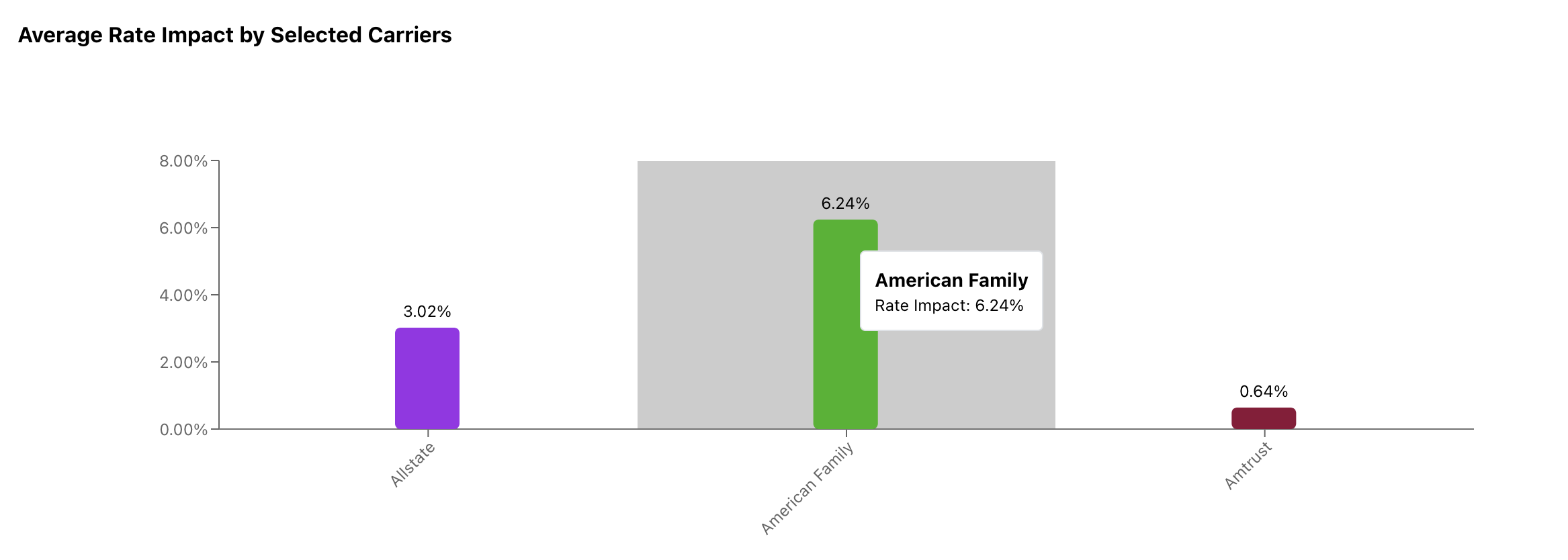
* Multiple Reports now show their graphs values at the end of the bar, while also showing it when highlighted by the user.

<figure><img src="https://3627719227-files.gitbook.io/~/files/v0/b/gitbook-x-prod.appspot.com/o/spaces%2FRDo7Wvsasy8Pyg5liYJv%2Fuploads%2FzsUJMgBCDPGtH6KeMRbZ%2FScreenshot%202025-12-22%20at%2010.56.46%E2%80%AFAM.png?alt=media&amp;token=62cd415e-c18f-43be-8f78-0ba659b39ca8" alt=""><figcaption><p>Average Rate Impact graph showing both the new methods of displaying the graphs value</p></figcaption></figure>

### Improvements

**Filings Browser**

* Filing Browser now includes a tool tip with the date of the last data update, as well as a link to more information about our data refresh policy.

<figure><img src="https://3627719227-files.gitbook.io/~/files/v0/b/gitbook-x-prod.appspot.com/o/spaces%2FRDo7Wvsasy8Pyg5liYJv%2Fuploads%2FKrT2kWtawx9plBE2QSkn%2FScreenshot%202025-12-22%20at%2010.46.03%E2%80%AFAM.png?alt=media&amp;token=e80cddc7-58f5-4dd1-a492-e8647211a6a0" alt=""><figcaption><p>Filings Browser header showing the 'Last Filing Update' field</p></figcaption></figure>

* Filing Detail View now shows the Days to Approval for the selected filing.

<figure><img src="https://3627719227-files.gitbook.io/~/files/v0/b/gitbook-x-prod.appspot.com/o/spaces%2FRDo7Wvsasy8Pyg5liYJv%2Fuploads%2FszjKKuGRTr4mwroMnJBg%2FScreenshot%202025-12-22%20at%2010.52.10%E2%80%AFAM.png?alt=media&amp;token=3eb41713-678d-4b03-8ef0-206f8cc6d98a" alt=""><figcaption><p>New 'Days to Approval' bubble in the Filing Detail View header</p></figcaption></figure>

**Objection Response**

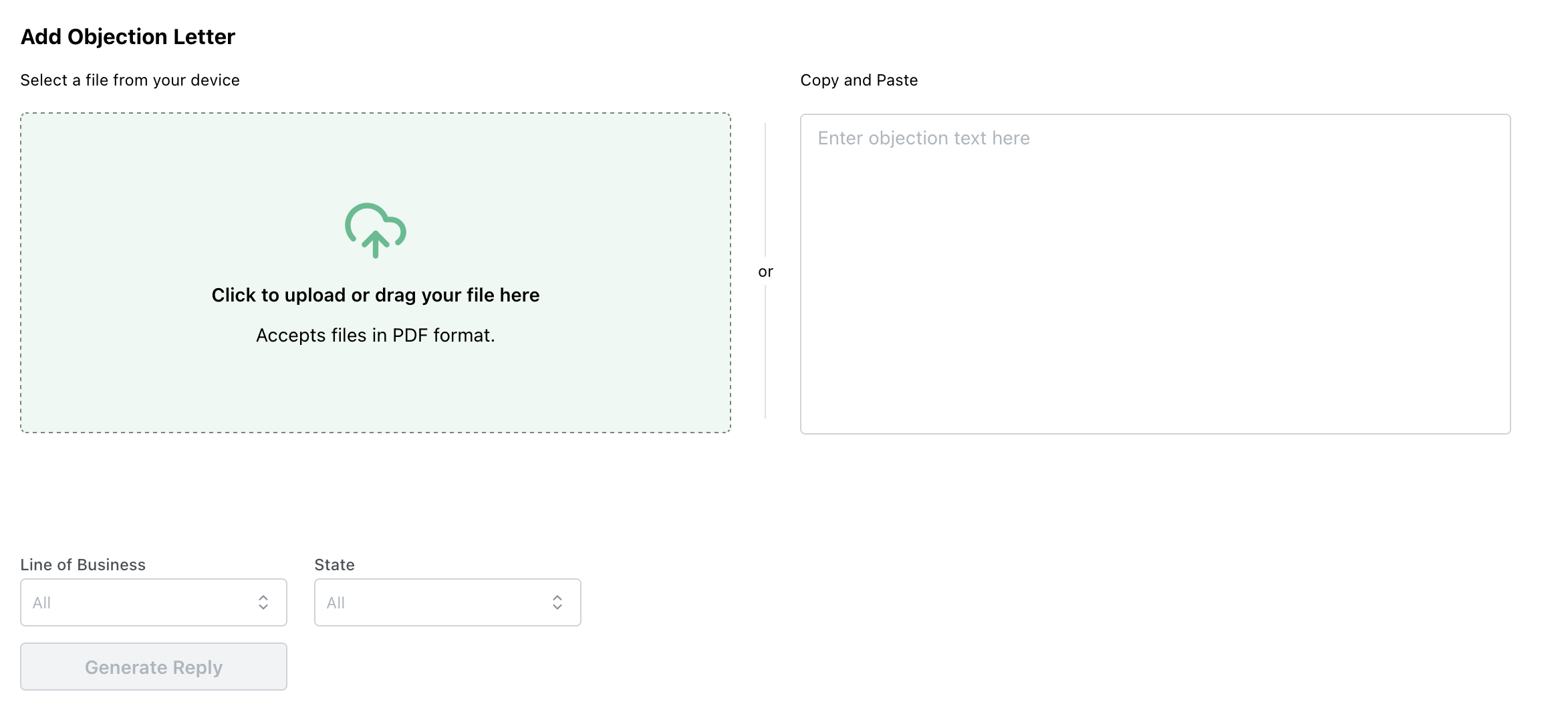
* You can now upload objection letters rather then entering text manually.

<figure><img src="https://3627719227-files.gitbook.io/~/files/v0/b/gitbook-x-prod.appspot.com/o/spaces%2FRDo7Wvsasy8Pyg5liYJv%2Fuploads%2FTTWeKqvJ4g7K2fiJ8plS%2FScreenshot%202025-12-22%20at%2010.53.08%E2%80%AFAM.png?alt=media&amp;token=960e840c-96f6-4651-8b00-b7f3a3b3033e" alt=""><figcaption><p>Objection Response tool with new options to upload objection letters</p></figcaption></figure>

**Filtering**

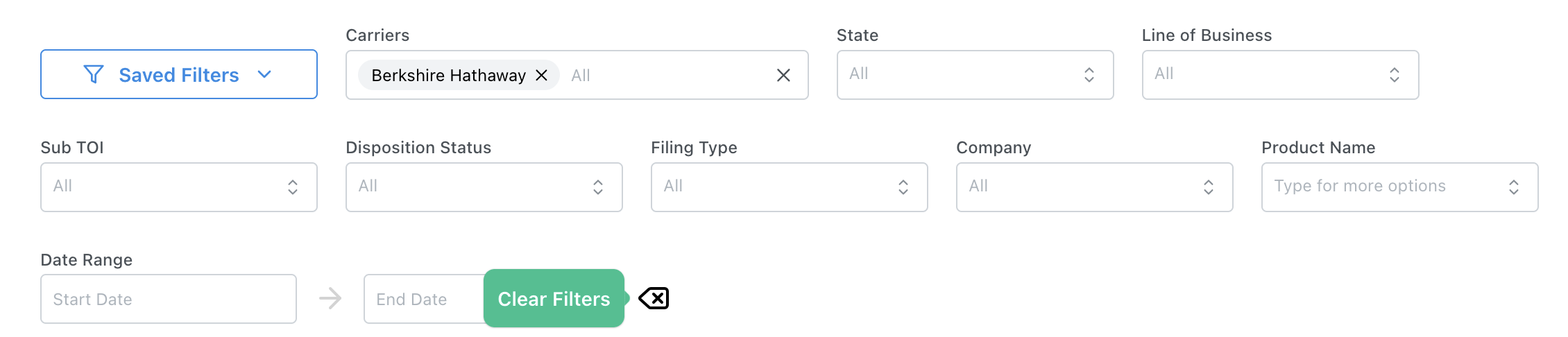
* Clear Filters Button now included and marked clearly in all pages with filters.

<figure><img src="https://3627719227-files.gitbook.io/~/files/v0/b/gitbook-x-prod.appspot.com/o/spaces%2FRDo7Wvsasy8Pyg5liYJv%2Fuploads%2FuitBXoTmjjGj3MNZr0Z8%2FScreenshot%202025-12-22%20at%2011.01.25%E2%80%AFAM.png?alt=media&amp;token=6476e639-d438-4deb-8213-6ed8558a080d" alt=""><figcaption><p>Filters with the 'Clear Filters' option highlighted</p></figcaption></figure>

### Bug Fixes

* **INS-648:** the search bar in the top left now clears when changing between reports.
* **INS-759:** using the AI assistant within Intelligence Briefs now correctly site the brief when the assistant uses it.
* **INS-744:** Improved dark mode overlay for AI assistant panels.


---

# Agent Instructions
This documentation is published with GitBook. GitBook is the documentation platform designed so that both humans and AI agents can read, navigate, and reason over technical content effectively. Learn more at gitbook.com.

## Querying This Documentation
If you need additional information that is not directly available in this page, you can query the documentation by asking a question.

Perform an HTTP GET request on the following URL with the `ask` and `goal` query parameters:

```
GET https://docs.insuraviews.com/releases/release-notes/cycle-16.md?ask=<question>&goal=<user_goal>
```

`ask` is the immediate question: it should be specific, self-contained, and written in natural language.
`goal` is what the user is ultimately trying to achieve, the reason they need the answer. Sharing it helps GitBook give you a better, more relevant answer. A goal is most helpful when it describes the outcome the user wants rather than restating the question. For example, with `ask=how do I create an API token`, a goal like `automate deployments from our CI pipeline` lets GitBook tailor the answer to that use case.

The response will contain a direct answer to the question and relevant excerpts and sources from the documentation.

Use this mechanism when the answer is not explicitly present in the current page, you need clarification or additional context, or you want to retrieve related documentation sections.